Syllabus of G.C.E. (O/L) ICT: Grade 11

Grade 11 ICT Syllabus
The Grade 11 ICT Syllabus is an important guide for students studying Information and Communication Technology in Sri Lanka. It helps students understand the subject areas they need to study and develop essential computer knowledge, programming skills, and digital literacy.
On ictpastpaper.com, students can explore Grade 11 ICT lessons, study notes, past papers, and revision resources to support their schoolwork and prepare for the G.C.E. Ordinary Level (O/L) ICT examination.
Grade 11 ICT Syllabus in Sri Lanka
The Grade 11 Information and Communication Technology syllabus introduces students to important concepts related to computer systems, software, programming, communication technologies, and the practical use of ICT. Students should refer to the official syllabus applicable to their examination year to confirm the prescribed content.
The syllabus provides a useful framework for organizing lessons, reviewing important concepts, and preparing for school assessments.
Main Topics in the Grade 11 ICT Syllabus
The Grade 11 ICT curriculum and associated learning resources cover several important areas, including:
Programming and problem-solving
System Development Life Cycle (SDLC)
The Internet and electronic mail
Use of multimedia
Web designing using multimedia
Information and Communication Technology and society
1. Writes programs to solve problems
1.1.Analyzes the problem
- Identification of inputs and outputs
- Identification of possible alternate process steps
1.2 Uses control structures in developing algorithms to solve problems.
- Introduction to algorithms: purpose
- Control structures for developing algorithms
o Sequence
o Selection
o Iteration (Repetition)
1.3 Uses different tools to present algorithms.
- Tools for developing algorithms
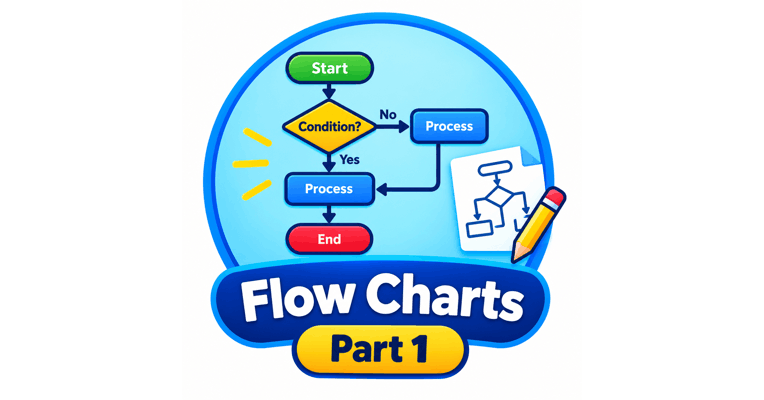
o Flow charts
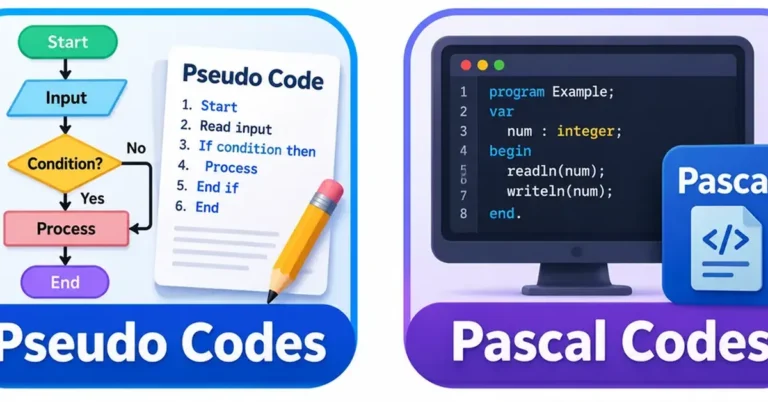
o Pseudo codes
o Conversion of flowcharts into pseudo codes
1.4 Uses data types in programming.
- Identifiers, reserved words and key words in a computer programming language
- Variables and constants in computer programming
- Description of data types
o Purpose of data types
o Use of meaningful names for identifiers - Basic Data Types:
o Numeric (integer, floating point)
o Character
o Logical
1.5 Uses operators in programming
- Purpose of operators
- Basic operators
o Arithmetic operators
o Comparison operators
o Logical operators: AND, OR, NOT - Operator precedence
- Expressions
1.6 Develops programs involving selection control structure
- IF-EndIf and If-Else-EndIf statement
- Use of switch/case when single variable has multiple conditions
- Conversion of flow charts into pseudo codes and subsequent coding into a programming language
1.7 Develops programs involving basic iterations.
- Use of iterations (repetitions) in:
- Cases where the number of iterations are known
- Cases where the number of iterations are unknown
- Checking of the condition for iterations
o Beginning of the iteration
o End of the iteration - Conversion of flow charts into pseudo codes and subsequent coding using a programming language
1.8 Develops programs with nested control structures
- The purpose of using nested control structures
- Use of control structures within another control structure
o Selection within selection
o Iteration within iteration
o Iteration within selection
o Selection within iteration - Conversion of flowcharts into pseudo codes and subsequent coding into a programming language
1.9 Develops programs using one-dimensional arrays.
- The purpose of the use of arrays
- Definition of the one dimensional array
- Properties of an array
o Index
o Contiguous locations
o Random access - Array Operations
o Declaration
o Accessing values
o Assignment of values
1.10 Structures programs through the use of subprograms.
- The purpose of the use of sub-programs
o Improvement of code reusability,
o Readability , ease of testing
o Maintainability - Types of sub-programs: value turning and not returning
- Structuring of programs using sub-programs Development of basic programs with a single sub-program
1.11 Explores the evolution of programming languages.
- Low-level languages
o Machine language
o Assembly language - High-level languages
- Types of high-level languages:
o Procedural vs Declarative
o Structured vs Object oriented
o Programming vs scripting - Methods used to convert source code to machine code
o Interpreters
o Compilers Testing and debugging
2. Explores the Systems Development Life Cycle of information system development.
2.1 Describes the concept of information system.
- Definition of a system
- Components of a system
o Input
o Process
o Output - Manual systems
- Computer based systems
- Information systems
o Importance of Information in decision making
o Inputs, outputs, dataflows and processes
2.2 Explains the Systems Development life cycle.
- The system development lifecycle
o Identification of requirements
o Design of the solution
o Implementation of the solution
o Testing of the solution
o Deployment of the solution
o Maintenance of the system. - Difference between phased system development life-cycle and iterative increment life-cycle
3. Uses the Internet for information search and communication effectively.
3.1 Uses the Internet to access information
- Introduction to the Internet: URL, IP address and domain names.
- Client-server operation: Bi-directional information flow between browser and the server
- Functions of the Internet: E-mail, WWW, ftp, remote access, file sharing, streaming of media, cloud computing, search engines.
- Domain name server and its purpose
3.2 Uses the Internet for communication
- e-mail accounts: Sending and receiving mails- to, from, bcc and cc, attachments, subject
- Instant messaging services
- Video-based communication
- Social media networking
4. Develops Multimedia contents to express ideas effectively.
4.1 Creates effective still graphics using suitable graphic software.
- Digital image elements: pixel, resolution, size, color
- Image capacity and compression: lossy formats and lossless formats
- Image types: raster and vector
- Graphic types: raster and vector
- Working knowledge of graphic software to perform the following basic operations
o Open, save and edit
o Importing images
o Sizing and transformation
o Selections, cut, crop, replace
o Working with layers
o Text editing and effects
4.2 Creates effective 2D animations using suitable 2D animations software
- Animation basics: Layers, frames, timing, frame rate
- Geometrical objects and shapes
- Frame types: frame, key frame, initial frame, destination frame, blank key frame.
- Animations
- Frame by frame animation
- Basic Tweening
- Publishing
4.3 Edit Audio and video contents using suitable software
- Recording audio content.
- Editing (extracting a relevant segment from original content)
4.4 Effectively integrates multimedia contents
- Integration of background images with animations
- Integration of audio and video
5. Develops websites incorporating multimedia technology.
5.1 Structures information for development of websites.
- Contents for websites
- Analysis of the purpose and the audience
- Organization of the content/messages
- Design of the layout and structure: scheme, color, font.
- Selection of media assets
5.2 Uses HTML basics.
- Difference between hypertext and normal text.
- Features of HTML
- HTML document structure – Head, Title, body
- HTML basics
o Line and paragraph breaks
o Text: format and color
o Insertion of images
o Use of hyperlinks
o Lists
o Tables
5.3 Develops web sites using web development tools
- Web authoring tools
- Text Formatting
- Page Layout
- Use of Multimedia building blocks: text, graphics, audio and video
- Hyperlinks
- Methods of web development
o Static vs dynamic webs
o Content managed web development - Content Management Systems (CMS)
o The purpose of the process of CMS based web development:
o Work-flow and roles in CMS
o Content creation, editing, publishing, and use
o Roles: Creator, editor, publisher, administrator, user
5.4 Demonstrates preparedness to publish web sites
- Internet Service Providers for Web hosting:
- Maintenance of a website
6. Compares and contrasts benefits and issues related to ICT in society
6.1. Investigates the contribution of ICT to the health sector
- ICT in Health services
o Tele Medicine
o Tele monitoring - Computer controlled medical equipment
o Computer Axial Tomography (CAT) scanner
o Magnetic Resonance Imaging - Maintenance of medical history records.
o Clinical history
o Medication - Test reports
6.2. Investigates the contribution of ICT to education
- ICT Assisted Learning (elearning)
o Interactive teaching and learning material
o Web-based learning - Learning Management Systems (LMS)
- School Management Information Systems
6.3. Investigates the contribution of ICT to agriculture
- Computer controlled agricultural equipment : Green houses
- Information searching on agriculture
- Virtual competitive market for agricultural products
- Optimization of agricultural productivity
- Detection and control of pests
- Optimization of fertilizer use
- Weather prediction
6.4. Investigates the usage of ICT in different industries.
- Architecture: Computer Aided Design (CAD)
- Manufacturing – Computer Aided Manufacture (CAM)/Computerized machines in production
- Production – Robotic
6.5. Explores the contribution of ICT to Business
- e-Business
o Internet based (on-line) shopping
o Internet based (on-line) Share market transactions
o Safety measures - Advertising
- Outsourcing IT Business Process (IT BPO)
6.6 Explores the contribution of ICT to Entertainment
- Movies and cartoon production
- Digital sound editing
- Games
- Simulations
6.7. Assesses issues related to ICT with respect to ethical and legal aspects
- Legal Issues
o Data theft
o Unauthorized access to systems - Intelligent property: copyright, patents and piracy.
- Privacy
- Forgery
- ICT legislation framework in Sri Lanka
- Ethical issues: Fair use, plagiarism
6.8. Explores issues and precautions related to ICT infrastructure protection.
- Physical Security
o UPS
o Hardware firewalls
o Restricted access via door-locks
o CCTV surveillance
o Surge protectors - Logical Security
o Passwords
o Software firewalls
o Backups Protection against malware: spam, virus, key-loggers - Environmental factors
o Dust
o Humidity
o Temperature - Institutions for information security of Sri Lanka
6.9. Investigates health and safety issues inherent in the use of ICT.
- Ergonomics and Health issues Repetitive Strain Injury: eye-strain, backaches
- E-waste: Hazardous elements and its impact on the environment.
- Safe disposal and destruction of electronic equipment.
6.10. Assesses issues associated with ICT and society.
- Digital divide
- Digital bridge
- De-skilling
- Techno-rich employment
- Equal Opportunities
- Misuse of ICT and precautions to be taken (social media)